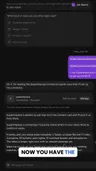
I run my own job search with Grok Bot connected to SuperImpress. Here is how it works, and how to set it up yourself.
If you have not met Grok Bot: it is an AI agent with its own computer. It has its own files and its own browser, and what you can do by hand, it can mostly do for you. You tell it what you want, and it goes and does it.
SuperImpress is the other half. It scans the hiring Boards of the companies you choose, judges every new Posting against your Career Record, and builds the resume for each one you pursue. Grok Bot connects to it over MCP, the standard way for an AI agent to use another app’s tools.
1. Get Grok Bot
Grok Bot is made by xAI. It comes with paid Cursor subscriptions and with some X subscriptions; see x.ai/bot for what yours includes. SuperImpress itself is free.
2. Make a Job Search Bot and connect it
Start a new Bot and call it Job Search. It introduces itself and asks what you want it to do. Paste this:
Connect to SuperImpress. The MCP server is https://app.superimpress.com/mcp and the guide is https://docs.superimpress.com/agent/connect/. I use SuperImpress to run my job search.Grok Bot adds SuperImpress as an app and shows a card to sign in. Sign in once and allow it. From then on, it works as you. If the sign-in fails, see Troubleshooting.
3. Let it set you up
Before SuperImpress can judge anything, it needs three things from you: a Target, which says the roles you want and where; a Career Record, which is everything you have done, as structured data; and at least one Watch on a company’s hiring Board.
Grok Bot can fill all three. Give it your résumé or your LinkedIn data export, and say:
Set me up from my résumé.Grok Bot reads the file on its own computer. SuperImpress never gets the file, only what you agree to save: the Bot shows you the whole Target, Career Record, and Watches it proposes, and saves them only after you say yes. The details are in Set up with your agent.
4. Watch a few Boards, and let SuperImpress judge
Ask the Bot which Boards to watch. For each one, it can see how many Postings are Relevant to you. Watch the ones you choose.
From then on, Autopilot, SuperImpress’s own model, judges every new Relevant Posting on those Boards for free. Each gets a Verdict: strong, stretch, or skip, with a Score and its reasons. Then ask:
What is new in my Inbox?Pursue the ones you want. SuperImpress opens an Application for each and builds its resume from your Career Record, with no claim your Record does not hold. Ask the Bot to write the cover letter too; SuperImpress keeps every version beside the resume.
5. Let it apply
Because Grok Bot has its own computer, it can do the last step as well. Ask:
Apply to my Postman Application with its resume and cover letter.It opens the Posting’s apply page in its browser, reads the questions, and fills in what it can from your Career Record and your answers. What it cannot answer, it asks you in the chat. You can let it submit on its own, or check each one first.
My advice: check them. Grok Bot lets you set submitting a form to Ask first, so nothing goes out without your yes. A few applications you have read beat a hundred you have not. Once you trust its answers, give it more room.
SuperImpress itself never submits an application. Your Bot does, from its own computer, as you, on the company’s own page.
Any agent works
SuperImpress works with any MCP client: Claude, ChatGPT, Cursor, or Codex. I like Grok Bot because it has its own computer, so it can also open the apply page for me.
Try it, and tell me what you think on Discord. SuperImpress is free.